Every quote checked against what jobs really cost.
AI Automation & Custom Software
Hand the repetitive work to software that follows your rules.
We automate the jobs that eat your week: routine emails, quoting, job tracking, follow-ups, paperwork and reporting. Each one is built around how you already work, and when nothing off the shelf fits, we build the software too.
How AI automation works.
One simple pattern, repeated job by job.
Whatever the job, it runs the same way. That keeps it predictable, and keeps you in control.
Something starts it
An email arrives, a job moves on your board, or a date comes up.
It follows your process
The steps you'd follow, written down once and used every time.
It waits for you
The result stops at a check. You review it, change it, approve it.
Trust opens the gate
Once a step is right every time, it runs on its own. Your key calls keep your sign-off.
AI automation examples.
Here's some of what we build.
Examples of common jobs. Yours will be shaped around your own process, tools and approvals.
The routine questions answered in your words.
Your office whiteboard on every screen.
Filed as they arrive, matched on Friday.
A personal thank-you for every visitor.
Your week on one page, every Monday.
Photos and dockets filed to the right job.
Drafted in your own templates.
Warned before a job runs over.
Custom software · live client system
A custom CRM for the PNBHS Old Boys' Association
When nothing off the shelf fit, we built it.
Member records, events and the team's day-to-day work in one purpose-built system that keeps growing as the Association's needs change.
- Members in one place, with groups, history and duplicates cleaned up.
- Events run end to end, from online registration and table bookings to payments and receipts.
- Reporting at a glance, so the committee sees what's happening without asking.
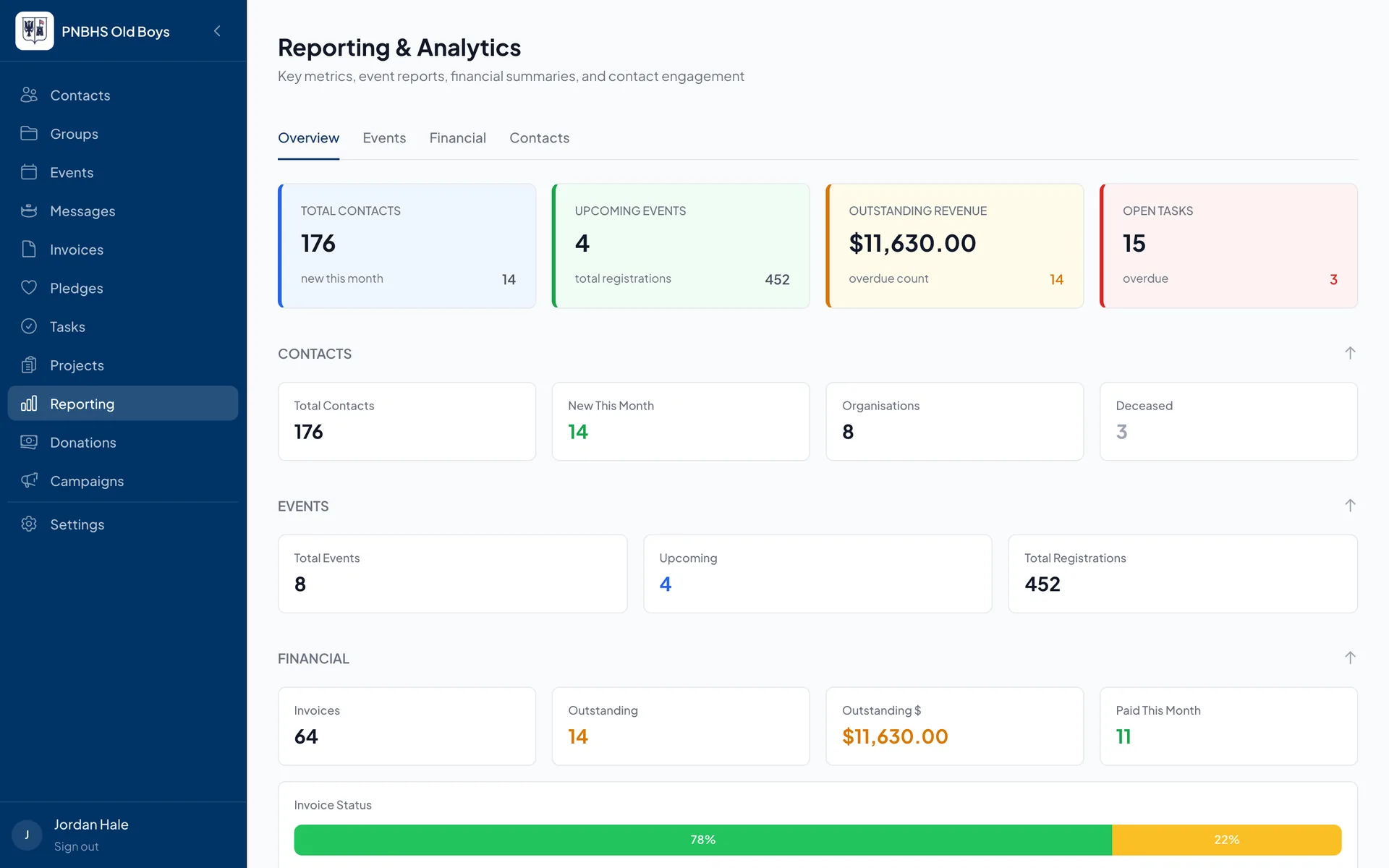
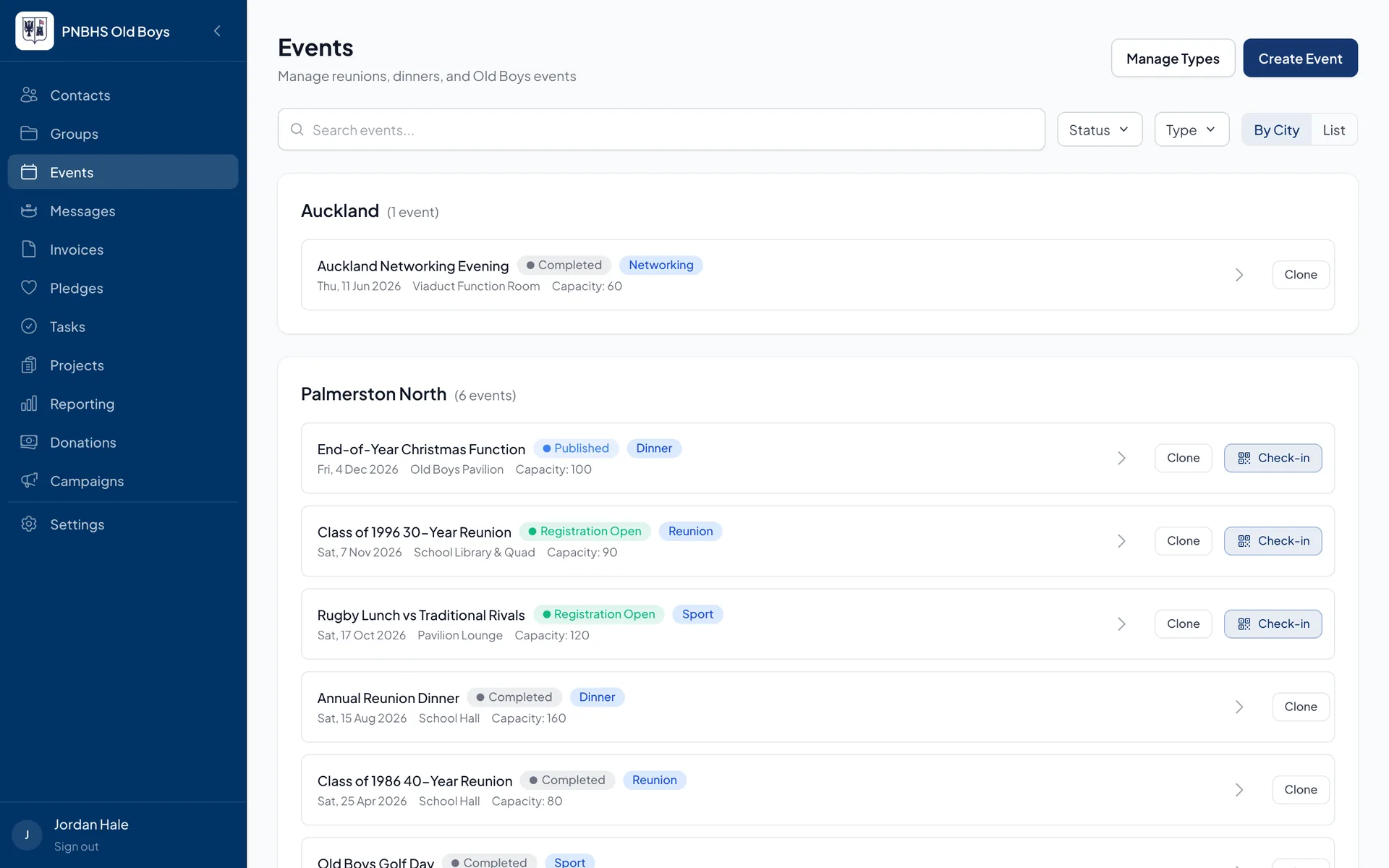
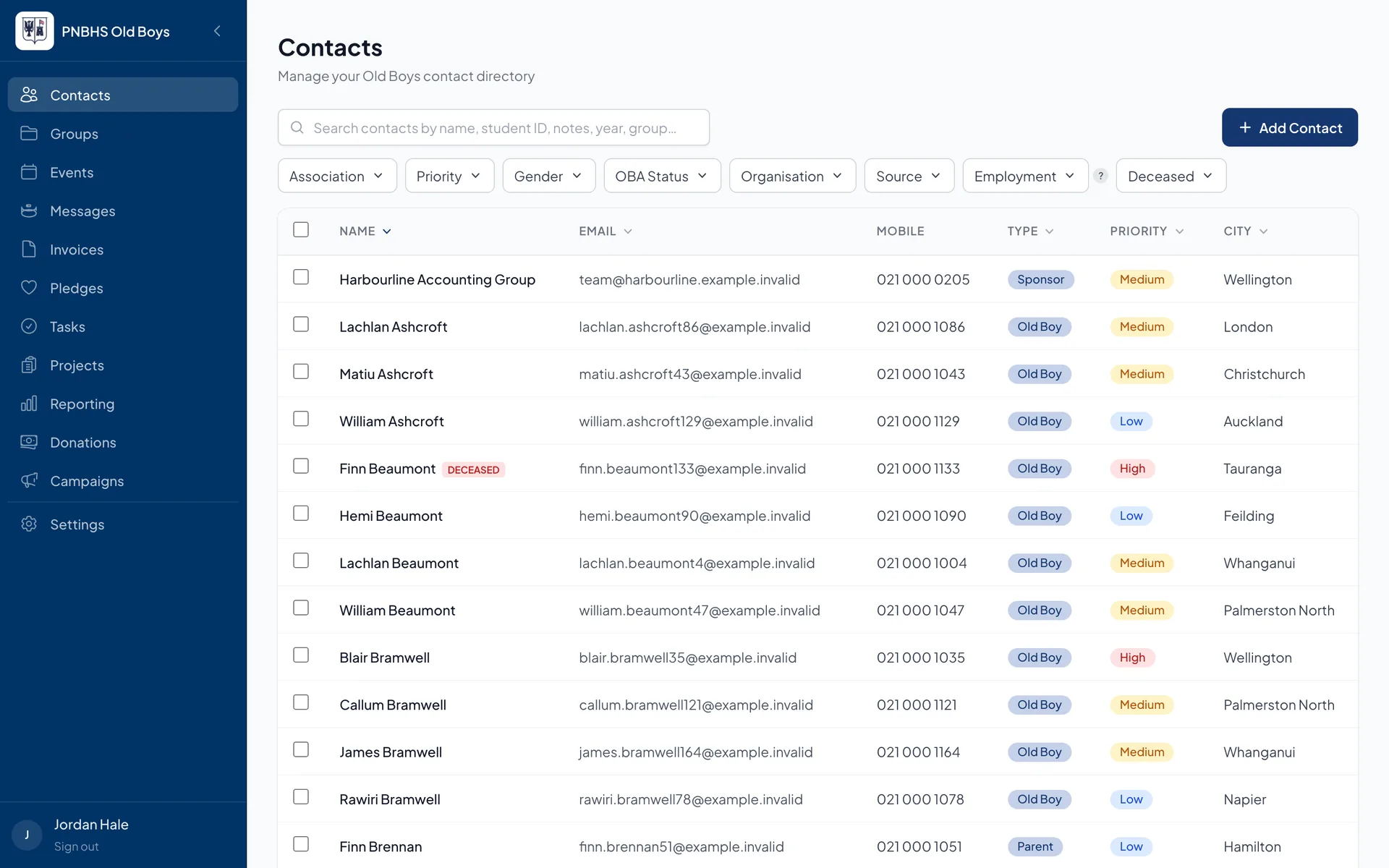
Screens shown with sample data. Real member details are private.
★★★★★ “It has genuinely changed how we run the Association.” Rachel Wenham, Google review
Switched on in steps.
It earns your trust before it runs on its own.
Nothing goes from zero to fully automatic. Each job moves up only when the numbers show it's ready.
Step 1
Drafts only
For the first weeks it writes drafts and a person presses send. We count how many go out unchanged.
Step 2
The simplest type runs itself
Only one kind of job, and only when it's confident. Everything else stays a draft.
Step 3
More jobs, one at a time
Each new type is checked the same way before it goes live. You can pause anything, any time.
It keeps getting sharper. Every reply you approve becomes an example to learn from, and every edit you make shows exactly where its writing still differs from yours.
Custom software for NZ businesses.
When off-the-shelf doesn't fit, we build what does.
Some jobs need their own tool. We plan, design, build and host it, and it connects to the same automations and business knowledge as everything else.
- Dashboards and job boards your team uses on desktop and phone.
- Client portals and internal tools built around one specific way of working.
- Connections between systems so information is typed in once, not three times.
- One shared record underneath. Every job connects through Nexron Connect, so each automation builds on the last.
What always stays with you
Prices, quotes and anything you sign
Decisions you're professionally accountable for
Money, bank details and ID documents
A pause button on every automation
How we start.
We start with the one job that takes most of your week.
Not a big-bang project. The smallest useful piece first, then the next.
1
Talk and discover
A call, then time in your office watching how the work really runs, where the information lives, and who approves what.
2
Build the first job
One automation, in your voice, from your own information, starting in drafts-only mode.
3
Prove it, then add the next
Once it's earning its keep, we add the next job, each one connected to the last.
AI automation questions.
Common questions.
What kind of work can you automate?
Most repetitive work that follows a pattern: answering routine emails, filing documents, preparing quotes and follow-ups, updating systems and writing up reports. If you can explain the steps to a new staff member, we can usually automate a good part of it.
Will it send things without us knowing?
No. Every automation starts in drafts-only mode, and a person approves what goes out. A step only runs on its own after it has been right consistently, and you decide when that happens.
Do we have to change the software we use?
Usually not. We connect to the tools you already have, like your email, Google or Microsoft files, and accounting software. If a tool can't connect, we'll tell you plainly and suggest options.
What does it cost?
Most first automations cost $1,500–6,000 + GST, and later automations on the same set-up start from about $800. Custom software starts at $5,000 for a small tool, and a full business system such as a CRM costs $15,000–40,000, plus an ongoing hosting and support subscription. You get one fixed price in writing after a discovery session, before any work starts. For the full breakdown, see our guide: How much does AI automation cost in NZ?
Where should we start?
Many businesses start with AI set-up and training, so the team is comfortable with AI first. Others go straight to the one job that takes the most time. We'll help you pick on the call.
What's the one job that takes most of your week?
Give us a call and tell us. We'll tell you honestly whether it can be automated and what that would look like.